
Theatre Headsets for Communication - Eartec Review: A Game-Changing Upgrade for Theatre Program
Theatre headsets for communication can transform your tech rehearsals. Learn how our wireless theatre communication system improved efficiency backstage.
Katie Zakkak
4/8/20264 min read
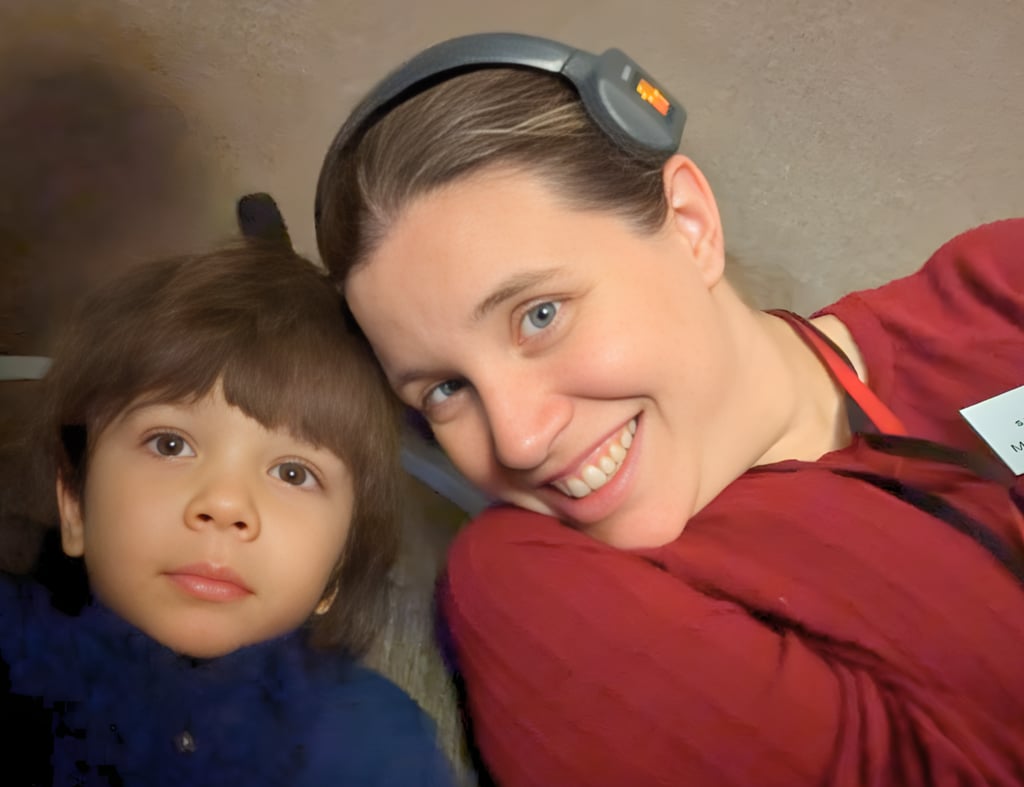
If you run a school theatre program, you know that communication during tech rehearsals can make or break a production.
For years, our setup was extremely basic.
We had only three wired theatre headsets connected to our sound board system:
One in the catwalk where the boards were
One stage right
One stage left
That was it.
If someone needed to communicate, they had to physically be standing at one of those headset locations. That meant the director could not easily communicate with the stage management team, and anyone working elsewhere backstage had to run across the theatre just to talk to someone.
It worked, technically.
But it was far from efficient.
Everything changed when we upgraded to a wireless theatre communication system from EarTech.
Why We Upgraded to Wireless Theatre Headsets
Before switching systems, communication during tech rehearsals looked something like this:
Someone needed to ask a question → they had to run backstage → find the stage manager → relay the message → then run back to their position.
Not exactly ideal when you are trying to run a smooth rehearsal.
Once we switched to wireless theatre headsets for communication, the difference was immediate.
Instead of three wired stations, we could communicate from anywhere in the theatre.
Our setup during tech rehearsals usually looked like this:
Stage manager in the catwalk calling cues
A crew member on stage right
A crew member on stage left
Spotlight operator
Director on headset during tech
Additional crew members when needed
Suddenly, the entire production team could communicate in real time.
No running around the theatre.
No searching for people.
Just clear, immediate communication.
The Eartec Wireless Theatre Communication System
We purchased the 8-channel Eartec system, which allowed us to connect multiple crew members at once.
Eartec actually offers several options, starting with 2-channel systems and going up to 8-channel wireless theatre communication systems, so schools can choose what fits their needs and budget.
For our theatre program, the 8-channel version gave us the flexibility we needed.
How the Theatre Communication System Works
One of the things I appreciated most about the Eartec system is how simple it is to use.
I am not particularly tech-savvy, and I was able to set it up quickly.
The system includes:
A central wireless communication hub
Wireless headset units
Rechargeable batteries
A charging station
The hub acts as the main communication center.
Once it is powered on, the headsets automatically connect.
With the 8-channel system, you can even split communication into two groups of four if needed, or press the comm button so all eight headsets communicate together.
For our productions, we usually kept everyone on the same channel so the stage manager could communicate easily with the full crew.
Battery Life and Charging
Battery life was another pleasant surprise.
Even during long tech rehearsals, the system held up well.
On a typical 8-hour tech day with two runs, the batteries lasted the entire time.
To be safe, we still charged them between shows, but we rarely ran into issues.
The charging station makes things easy because all batteries charge in one place at the same time.
If we ever forgot to charge one, a quick 30-minute charge usually gave us enough power to get through the next rehearsal.
Why the Headset Design Works So Well
Another feature that made the system very practical was how the microphone works.
You do not have to press a button to talk.
Instead:
Mic up = muted
Mic down = talking
That small detail makes communication much easier during rehearsals, especially for students who are learning the system.
It also reduces the number of buttons students need to remember while managing cues or backstage tasks.
Training Students to Use Theatre Headsets Properly
One thing I quickly realized is that students need training on headset etiquette.
To teenagers, wearing a headset can feel a little like using walkie-talkies.
Which means they can be tempted to:
Make jokes
Talk unnecessarily
Fill the channel with chatter
We solved this by holding a short headset training session before tech week.
We covered both the equipment and communication expectations.
Some guidelines we established included:
Keep communication short and clear
Use only necessary words
Avoid side conversations
Always acknowledge directions
For example, when the stage manager gave a cue or direction, crew members would simply respond:
“Heard.”
That quick acknowledgement confirmed the message without filling the communication channel.
Communication Phrases That Help Tech Rehearsals Run Smoothly
We also established consistent phrases so everyone understood exactly what was happening.
Examples included:
Standby – Get ready for the next cue
Lights go – Execute lighting cue
Sound go – Execute sound cue
Hold – Pause the rehearsal
For scene transitions, we used a system where crew members confirmed when their areas were clear.
For example:
“Stage right clear.”
“Stage left clear.”
Once both sides were clear, the stage manager could safely call the next cue.
These simple systems made tech rehearsals much more organized and efficient.
The Impact on Our Rehearsal Process
Once we implemented the wireless theatre headsets, the difference in our rehearsal efficiency was dramatic.
Instead of spending time tracking people down, we could communicate instantly.
This meant:
Faster transitions
Fewer rehearsal interruptions
More efficient tech rehearsals
Clearer cue calling
Even when something went wrong, we could solve it quickly without stopping the entire rehearsal.
As the director, I still had access to the god mic to address the full cast if needed, but many small adjustments could be handled quietly over the headset system.
Are Wireless Theatre Communication Systems Worth It?
Wireless theatre headsets can definitely feel like a big investment for school theatre programs.
However, in our experience, they were absolutely worth it!
If you have the budget or can fundraise for them, upgrading your theatre communication system can dramatically improve how your production team works together.
For us, it completely transformed our tech rehearsals from chaotic to coordinated.
And once you experience that level of communication, it is very hard to go back.
Final Thoughts on Theatre Headsets for Communication
If you are currently relying on a few wired stations, upgrading to a wireless theatre communication system can make a huge difference.
Clear communication allows your stage managers, crew, and directors to work together more efficiently, which ultimately leads to smoother rehearsals and stronger productions.
For our theatre program, the Eartec headset system was a true game changer.